Ready-made data graphs, real customer records, and the same merge fields and Handlebars you'll write in Marketing Cloud Next. Write it, run it, and see it render for every customer. Free, in your browser.
Built by AMPscript Academy, alongside Handlebars - The MC Next Email Developer's Handbook.
The real blocker
Even with an org, you can't write a single merge field until there's a data graph behind it. That means ingesting data, mapping data model objects, defining relationships and assembling the graph. It's days of setup before your first "Hi Marcus". So most SFMC pros read about Handlebars and never actually write any.
“I don't have MC Next access.”
Your company hasn't moved yet, or the org belongs to a client you can't experiment in.
“There's no data to practise on.”
An empty org is no help. Handlebars only means something once there's a data graph full of customers.
“The data graph confuses me.”
You know data extensions inside out. A unified individual with contact points and related objects is a new shape.
“Will my AMPscript still count?”
It does. The logic you already write carries straight over. The syntax is the easy part to learn.
Inside the Lab
A bookstore, a retailer, a travel brand and a deliberately messy real-world graph, all built on the unified individual, the same shape MC Next uses. The explorer mirrors the Data Cloud Setup screen, so you can see every object, how it relates, and every field's API name before you write a line.
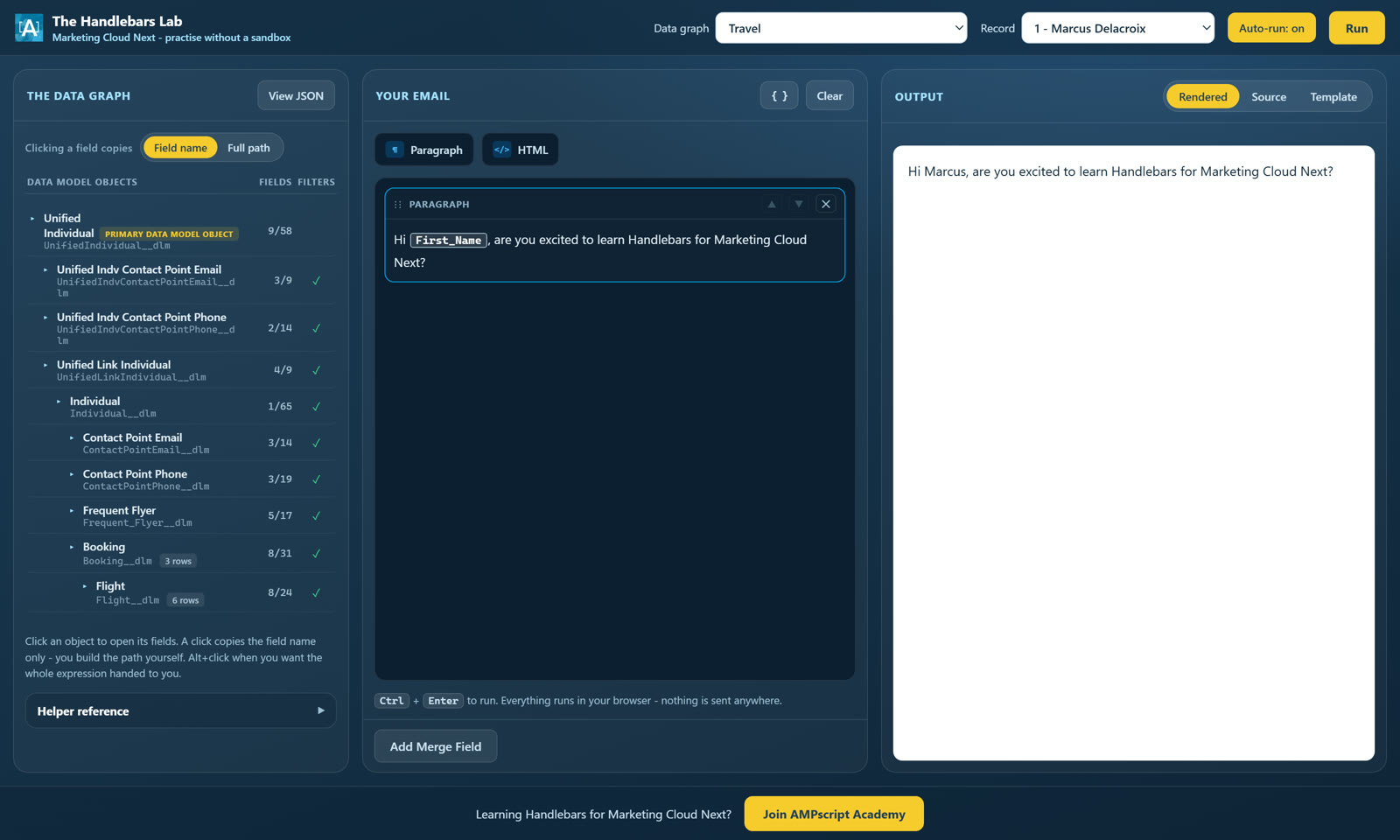
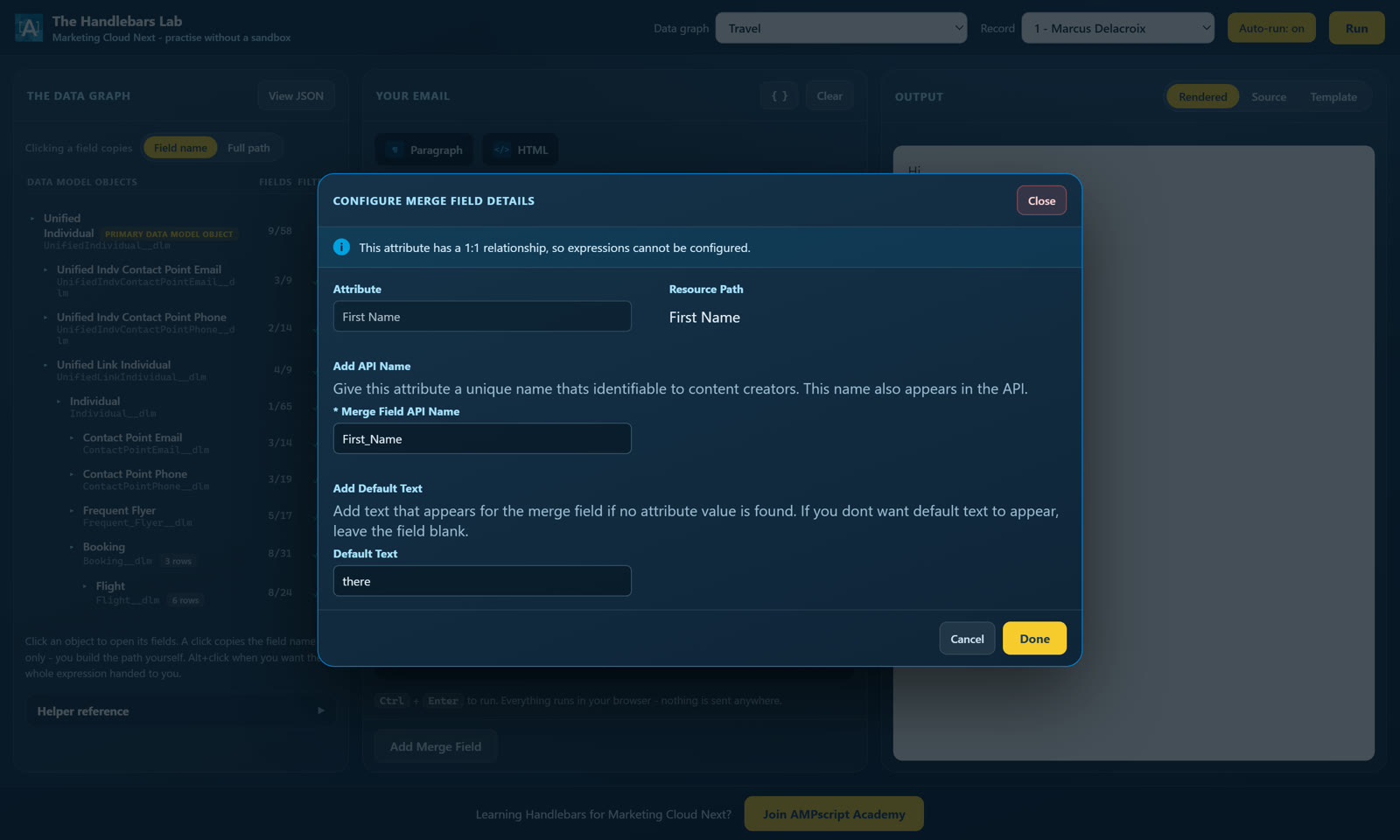
Most personalisation is a merge field and nothing more. The Lab gives you the same configure-merge-field step you'll see in MC Next, attribute, API name and default text included, then shows you the Handlebars it writes underneath. You learn to read what the platform writes before you write it yourself.
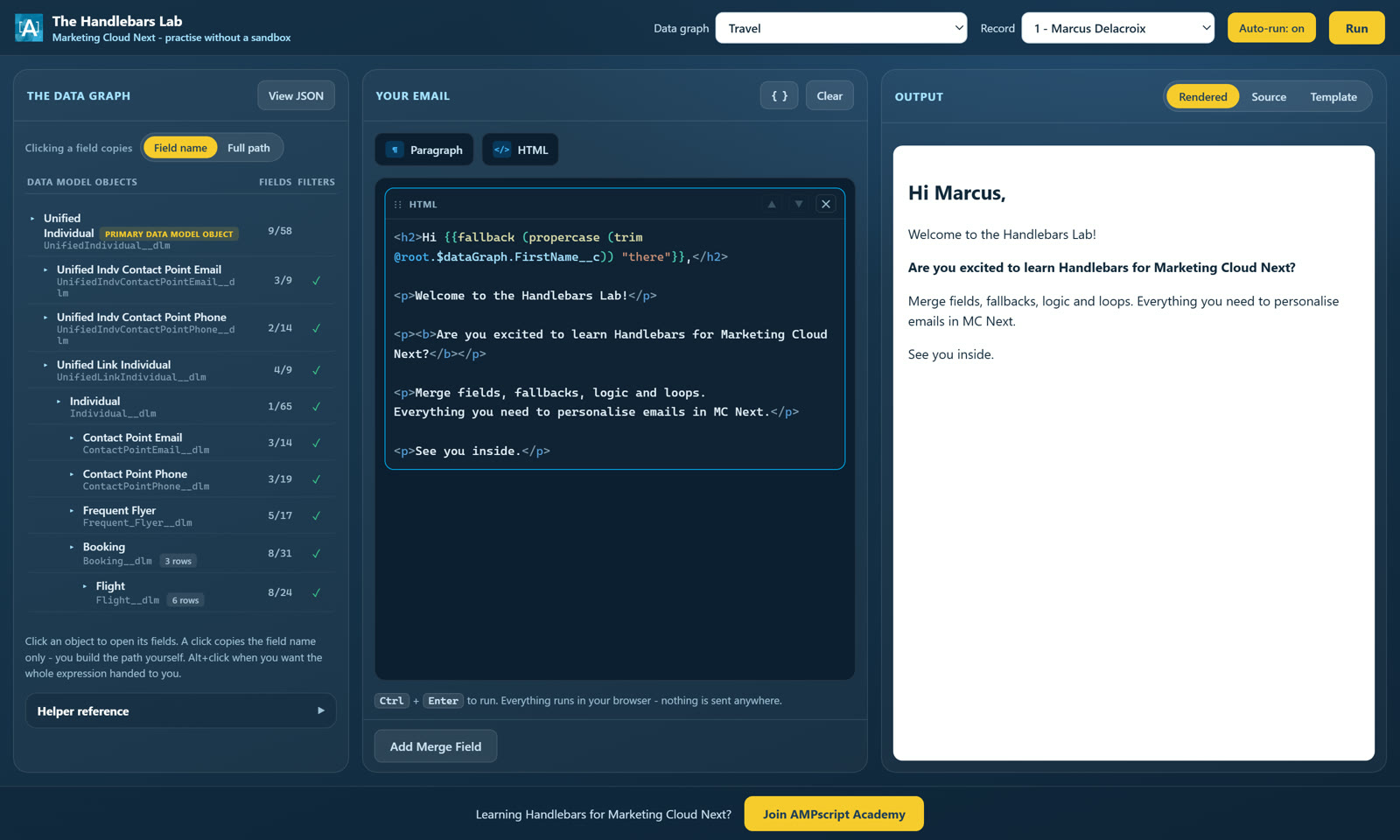
Paths, get, fallback, conditions, loops and formatting helpers, with syntax colouring that matches the MC Next editor. Switch between five customers per graph, including the ones with blank names and cancelled bookings, and watch the same template handle every one of them.
How to get in
The Lab is in early access for community members, so it opens with a code. Here is exactly how you get one.
Free forever, no card. A Skool community of 2,100+ Marketing Cloud professionals.
It is waiting for you inside as soon as you join. You will not have to ask anyone for it.
Enter the code once and your browser remembers it. Week 1 of the Handlebars course is free and shows you exactly what to practise.
Questions
get and fallback, but it is a teaching environment. Your MC Next org is always the final source of truth, so once you have access, test there before anything goes live.Join the free community, grab your access code, and print your first merge field today.
Join free and get your access codeFree forever. No card required. See all Labs